Thursday, June 12, 2008

Workplace Literacy

Tēnā koutou katoa – Greetings to you all
Sign on the door
Lynne Truss would love this one. The above picture of a notice is implicit (more about that later).

A few days ago I was fascinated by a series of posts on workplace literacy, notably by Tony Karrer and another by Michele Martin.

I suggested in a comment on Michele’s post that there was a real danger of the invention of ‘digital’ bourgeoisie - an artificial set of digital protocols and practices that is more likely to exclude than include those who are not 'in the know’.


My point was that it has taken around 4000 years of human existence for reading and writing to get to where they’re at today. Perhaps we should first reflect on the practices associated with workplace literacy (never mind the digital bit) over the last 100 years or so before diving into looking at changing people’s attitude/skill/awareness on this one.

Michele made a good point “that if we don’t begin engaging in discussions like this about the skills that are needed and ways to develop and use those skills, we’re going to be in a world of hurt. I’m not sure that we can afford to take 100 years to figure things out.” Her worry “is that we won’t do that and we’ll end up behind the 8-ball!”

I must admit that I agree with her, but I feel that we are behind the 8-ball already.


Tony supported Michele suggesting that workplace literacy should be opened to the early majority “not by dictating, but by suggesting what the opportunities are. Studies of PIM show that this is all highly personal (at least subjectively).”

While I agree in part with what Michele and Tony are saying, I don’t agree with the moving-right-along attitude to progress for it rarely actually establishes true progress. It simply moves on to ground that’s new to some.

I’m also aware that it is a postmodern trend to discard history - it’s rarely looked back on for its usefulness. Yesterday is history in some postmodern arenas.
If we were to follow to its logical conclusion what Jacques Derrida was saying, we would be scrapping the very idea of writing - anything, digital or otherwise. Derrida was a dyed-in-the-wool postmodernist.

Society should be just as capable of learning from its mistakes as a young pianist new to the piano. Perhaps the reason society has learnt so little from its past mistakes is because of a reluctance to stop, study and think about the implications of past mistakes in terms of what can be learnt from them.

The moving-right-along now-faster-than-ever attitude was used in Physics for the last 75 years while Niel Bohr’s theories and the Heisenberg Uncertainty Principle marked time as Science attempted to pursue logically related avenues. We now believe that Bohr and Heisenberg were wrong in their fundamental assumptions, but only because no-one dared to look back - for nearly a century! The silencing voice of authority.

Sign on the door
Derek Wenmoth very recently posted photographs of the notices that were displayed by the venue hosts to identify the room used at a working group convened by the New Zealand Ministry of Education focusing on Multiple Literacies. The Day 1 notice heads this posting and the corrected sign that appeared on Day 2 is shown directly above.

Derek points out that “the sign serves as a useful reminder that we mustn't forget the conventions of traditional writing!!!!! (The thing that makes the sign doubly amusing is that it is printed on paper and taped to the front of an LCD screen which is normally used to display notices like this.”

Derek states my point exactly.
His observations bear out what I say about the implications of past mistakes.

Let’s get back to the drawing board, or in this case, the Board Room!

Ka kite anō – Catch ya later

Tuesday, June 10, 2008

Take charge of your e-book learning - a metaphor


The recent discussions on training and education pose interesting questions on how these disciplines are defined. I recently put a sheet together for use as a training aid, but perhaps it's more education. Reading some of the opinion commented on blog posts recently I wonder how others may define this. What do you think?

Take Charge Of Your E-Book Learning

“You can have it all. You just can't have it all at once.” Oprah Winfrey

Complaints and objections:

The technological advancements of the latter part of last century, such as electronic computers and the Internet, have made learning more accessible to us all. Among the innovations that came with these developments is the e-book but it is not always looked upon as a helpful invention. Common grumbles about e-books are:

  • Too difficult to read – ‘I get sore eyes peering at the screen.’
  • Too unwieldy – ‘l can’t flick through the file like a book.’
  • Too many pages – ‘I haven’t time to read all that!’

The list goes on. The fact is we are living in the 21st Century. People do learn from the computer screen and some of the most up-to-date learning can happen this way. Most e-books are not intended to be read from start to finish but that is a poor learning habit whatever the medium that’s used.

Just as there are smart ways to learn from a hard-copy resource book, there are effective ways to learn from an e-book. The techniques can be applied as much to gleaning what’s new on this morning’s intranet as gathering useful information from a weighty text file.

Windscreen wipers:

Rule number one is optimise your viewing.

Grime on the screen limits ease of reading. You should clean your screen regularly and this is simply good practice. Correct adjustment of the brightness and contrast settings of your monitor can also go a long way to improving the readability of information on the screen.

Unwanted reflections and glare from nearby lights or windows can interfere with your ease of viewing so adjust the monitor position to reduce or if possible eliminate these. Though liquid crystal displays do not show the same annoying array of reflections so common with convex glass monitors they still need regular cleaning.

Text size:

Text that’s too small to read comfortably can make learning a real effort but there are many adjustments that can be done to help with this. You may have to think about your PC display settings for instance but it could be as easy as looking for the text option on the application you’re using, like the zoom button shown above and that's available on most tool bars or using a browser menu option to alter the text size.

Contents, indices, bookmarks, & other features:

Use the contents list or index if there is one. Just as in any hard copy book, a directory in an e-book gives a summary of what’s contained there. It pays to scan through a directory before you begin study reading and this is just good practice when using any resource book. If you are lucky to have a directory that’s equipped with hyperlinks you can be taken to the start of relevant sections on a click. The width of a directory frame is usually adjustable so that it doesn’t encroach on your text space and it can often be closed or hidden when not in use.

Most e-books have powerful summary links such as bookmarks included in the left frame. They’re a real lifesaver for those who can’t stand scanning hundreds of pages of boring text to find the interesting parts. Though bookmarks may not present a comprehensive inventory, they usually point to the beginning of key sections and therefore save time.

Links within a text can help you flick swiftly to important parts. Most texts provided with those also have ‘Return to Top’ links at convenient positions, permitting the reader to return immediately to a key starting point.

Some e-books permit you to re-open them where you left off. For instance, in Adobe Reader the page-holder is switched on by choosing the settings:

Edit (Windows) or Adobe Reader (Macintosh) >
Preferences >Startup > Reopen Documents to Last Viewed Page > All files.

Search:

Many applications have search capability. Some are more sophisticated than others but usually the quick keys Ctrl F bring up a plain search window, like the one shown above, to allow a keyword to be entered when looking for a specific item or reference to it. A few slick searches with careful keyword selections and using the ‘next’ function can frequently save time otherwise spent exploring a large directory.

Learning needs energy:

The environment must be right for effective learning so you have to choose the appropriate time and have the right headspace. When the delivery is very low energy, as with information viewed from a file, you must bring energy to the process. Learning from the screen requires high energy – a passive approach doesn’t work. Many learners have difficulty knowing what parts of an e-book to scan through and what parts should be studied in detail.

Scan sections that seem to have parts you may find useful.
Study parts that have specific information you need to remember.

Printing a section of text:

When there’s a need to work with a section of information repeatedly it’s sometimes easier to pick up a printed copy than it is to keep accessing a file. Though this is not recommended as a standard practice, it is an option that may present some relief for those who must have a hard copy of a chunk of text. But before sending part of a text file to the printer, ask yourself the following questions:

  • Am I sure the printed text is going to be useful?
  • Are there any pages that I don’t need?
  • How often am I likely to use the copy after I’ve read it?
  • Am I likely to pass the copy on to someone else?

Having considered answers to all of these and you still wish to print, take care to select only the pages you need. Some e-books can run to more than 500 pages. Imagine your embarrassment if you accidentally lock up the printer as people wait for the next quarter hour while you waste a bucket of paper.

If this happens, switch off the printer and cancel your print order. If you don’t know how to do this, ask around for help.

Perhaps it’s best to find out how to learn from the screen.

Ka kite anō
Catch ya later

Friday, June 6, 2008

Where Do The Boundaries Lie?

Tēnā koutou katoa – Greetings to you all
a badminton racquet

Where do the boundaries lie in training and
education? For many teachers, drawing the distinction between these disciplines is seemingly very difficult. It poses the same illogicality as does the chicken and egg paradox.

I left a comment on Michele Martin’s recent post where she spoke of the corporate trainer as distinct from the teacher. In doing so I attempted to define the distinction between education, being preparation for life in its many facets, and training, being preparation for routine: a prearranged detailed course of action performed recurrently, as in a standard procedure.

Training is explicit

Back in last century, while training as a teacher I was also completing my education at university. I had signed up to do post-graduate research immediately following the completion of my honours degree and was still writing my PhD thesis when I did teacher training. The distinction between the two institutions, university and teacher training college, was explicit for me.

Routines and practices

University was not unlike senior secondary school in terms of the learning that had to be done. Even in my post-grad years I was acutely aware of the brainwork involved while I grappled with ideas, concepts that were new to me. But teacher training? That was refreshingly different. We learnt routines and practices. We spoke of pedagogies, read about the works of the theorists. It all seemed reasonably straightforward and it was almost effortless for me to see where a lot of what I was trained in could be applied.

What is more, I had no problem with accepting that what I was experiencing was training. There was something light and less cerebral about it, compared to the heavy theory and traction of degree course and research learning. I’m aware that this may just be my perception, but it defined some distinctions that I could later identify when I became a teacher.

Where is the boundary

So what’s the guts? How does one tell the difference between training and education?

In the 70’s, throughout the globe, we were still teaching logarithms to year 11 students in mathematics classes. That meant using log tables, as opposed to manipulating exponents or ‘powers’. In New Zealand, students had to be able to find the logarithm of a number by reading it from a set of tables. They also had to be able to convert back from a logarithm to get a number by using antilogarithm tables. I recall only too vividly the lessons I gave where fifth formers learnt (or didn’t learn) how to use these sets of tables. This was training.

It was a manipulative skill where data was read and transcribed from one paper resource to another, usually with a pencil. The “how to” could be taught to some students in a few minutes and to others over a variably longer period of time. Nearly all my students could learn how to ‘read’ log tables within a few days.

Tricks of the trade

There were certain techniques that I taught, in spirit not unlike the tricks a coach might impart to a tennis player. Simple ones like using a ruler to read across the lines of numbers so that the eye didn’t accidentally jump up or down to the wrong line.

Examination candidates were supplied with sets of mathematical and statistical tables in a booklet where all the pages looked more or less the same. So it was important for a student to be able to read the labels that lay along the headings on the pages so they could check that they were reading from the correct table. This required a certain base education. If students could not identify which table to use, and this was coached in training practice, they had slim hope of performing what was otherwise a relatively simple task.

Falling off a log

When log tables were replaced with calculators, as happened globally toward the end of last century, I had to train students to use quite different routines. Instead of learning to use tables and rulers and all the techniques that went with those, students had to be shown which buttons to press on their calculators. They had to learn what all the little button-symbols meant. Essentially the same degree of training was required with calculators as with log tables though
the manual skills required to perform the tasks were quite different. There is no fundamental distinction between their correct numerical outcomes.

pH is powerful

I teach chemistry in the senior school. Year 13 students are required to perform calculations in solution pH. This requires not only the ability to find the logarithm of a number, but also the ability to understand what is meant by a logarithm in terms of it being an index or power. Hydrogen ion concentration is expressed in powers of ten (10) and calculating the pH involves finding the logarithm of this concentration. A chemistry student who has never been introduced to the idea of a logarithm or power is at a distinct and severe disadvantage.

First, they have to learn to be able to find the logarithm of a number using a calculator. They then have to understand and come to grips with the concept of an exponent or power. It is often all too obvious that students find it easier to determine the logarithm of a number than to understand what to do with it once it's obtained.

Education not training

Understanding about powers of ten is not something a student can gain through training. If they are not familiar with the concept, they need educating, not training. The ideas associated with thinking about powers and exponents in relation to logarithms or indices to the base ten have to be understood before a student can perform a sensible calculation with any given data to do with pH.

So concepts imparted to novices tend to fall into the category of education. Most secondary teachers assume (or hope) that their fresher students will have been educated to a level where they can read and write. For most students these skills and knowledge will have taken development years to acquire. During that time the students would have assimilated the associative skills to do with understanding symbols leading to literacy and numeracy, all of which would have been acquired by a deal of conceptual learning, otherwise known as education, most of which is simply taken for granted.

Anyone for tennis?

Ka kite anō – Catch ya later

Thursday, June 5, 2008

The QWERTY Legacy

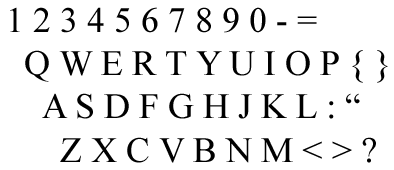
Tēnā koutou katoa - Welcome to you allThe QWERTY Keyboard
One of the greatest barriers to using the computer is the keyboard.
It is the clunkiest of all the interfaces simply because it’s mechanical. These days even so-called hard drives can be entirely digital with no moving parts.

But the qwerty legacy was never meant for the digital age.
It's a contraption and I don’t think it should be improved.

I think it should be scrapped. Chinese typists will agree with me.

Here’s a brief description of my rechargeable light-powered computer of the future. It's simple. Surely the technology can't be too far fetched.

If I cough when I unfold my computer it logs me on.

It only responds to my voice, and can tell the difference between me talking and a high quality recording of me talking. And it doesn’t respond to a high quality recording of me talking either.

I don’t type what I want it to do. I tell it.

Touch sensitive screen? Yes. It is perfected to a high degree of sensitivity and usability. I can draw on it with a finger or a pencil.

The screen looks like paper when it’s in bright light; backlighting when in shade. It automatically adjusts to the light levels with vocal override when needed. Images and texts look as they would on a high quality magazine – matt effect, low sheen, holograph.

Unrolled I can use it to scan a magazine by directly laying it on top. Well folded, I can fit it comfortably in my inside pocket.
( 3 ) ( 2 ) << - related posts

 Ka kite anō - Catch ya later

Wednesday, June 4, 2008

So You Think You Can Use An RSS Reader?

Tēnā koutou katoa – Greetings to you all

Inspired by Kevin Hodgson's lead, I'm following Clark Quinn's idea of overcoming perceptions of lack of substance in using comics.

In the past month my RSS reader has been cascading with new posts and my comment tracker effervesced with new comments bursting at the brim. I thought these applications always fizzed like that.

But of course, I only installed my RSS reader and comment tracker when I began the 31 Day Comment Challenge and that was a day or so late. I found that it was hard to keep up with the activity at times and neglected some of the new posts on blogs that weren't directly associated with the Challenge.

Mind bloggling 500 blogs a day!

I thought I was doing great though, sifting through the blogs, shooting a comment or so here, picking up an idea there. I had a wonderful time. After a week of good practice I felt a bit like an expert and have done until I very recently read Kevin Hodgson's stunning revelation that he reads close to 500 blogs daily.

Talk about mind bloggling! Well, I can see
I've got a lot of practicing to do. I've a long way to go yet. But if ever there was an anti-homophily technique for reading the Internet, Kevin must know it.

Check out the way he uses the RSS to support classroom teaching and work as technology liaison, not to say too much about connecting to a bigger network in his Bringing the World to My Doorstep: A Teacher's Blog-Reading Habits.

Ka kite anō – Catch ya later